
-
×
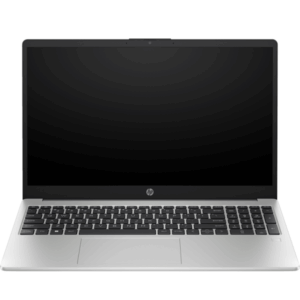 HP 250 G10 Core i7-1334U, 8GB, 512GB SSD|15.6''
1 × KSh 83,000.00
HP 250 G10 Core i7-1334U, 8GB, 512GB SSD|15.6''
1 × KSh 83,000.00
Subtotal: KSh 83,000.00
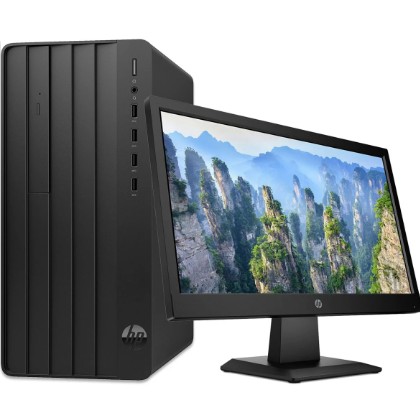
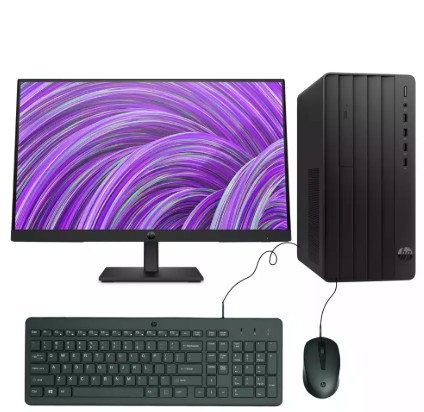
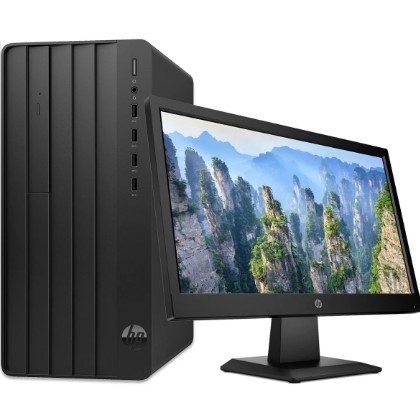
HP Pro Tower 290 G9 series desktop
Intel Core i3 processor
4 GB of RAM
1 TB of hard disk storage
A 24-inch external monitor (for display)
KSh 63,999.00 KSh 70,000.00
| Brands | HP |
|---|---|
| Condition | Brand New |
| Generation | 13th Generation |
| Memory | 4GB Ram |
| Storage | 1TB |
| Storage Type | Hard Drive |
| Display | 22" Display |
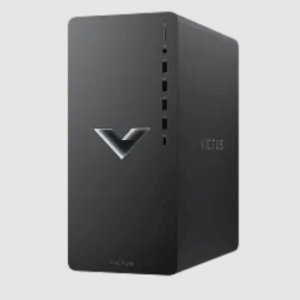
Processor: Intel Core i5, 14th Generation – powerful performance for gaming & multitasking
Memory: 16GB DDR4 RAM – ensures smooth gameplay and heavy multitasking
Storage: 256GB SSD (fast boot & load times) + 1TB HDD (ample game & file storage)
Graphics: 8GB NVIDIA GeForce RTX 4060 Ti – ray tracing, DLSS, and AI-enhanced visuals for next-gen gaming
Design: Compact 15L chassis with modern styling and customizable RGB lighting
Cooling: Advanced airflow design for efficient temperature control during long sessions
Connectivity: Multiple USB ports (Type-A & Type-C), HDMI, DisplayPort, Ethernet, Wi-Fi, and audio ports
Operating System: Windows 11 pre-installed – optimized for gaming and productivity
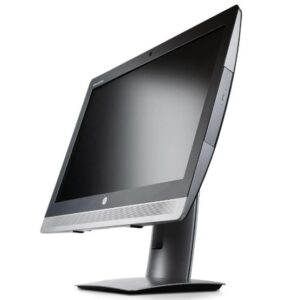
Processor: Intel Core i5-6500 (3.2 GHz base, up to 3.6 GHz with Turbo Boost, 4 cores, 6 MB cache)
Memory: 8 GB DDR4-2133 MHz (typically 1 × 8 GB), expandable—some sources say up to 32 GB
Storage: 256 GB SATA SSD +500gb
Display: 24″ IPS WLED backlit anti-glare (1920 × 1080 resolution)
Graphics: Intel HD Graphics 530 (integrated)
Ports & Connectivity: USB 3.0 ports, DisplayPort, video output, Wi-Fi, Ethernet, SD card reader, etc. (full I/O detailed in sources)
Processor: Intel Core i7 (13th Generation) – delivers exceptional power and speed for gaming, streaming, and multitasking
Graphics: NVIDIA GeForce RTX 4060 (8GB GDDR6) – advanced graphics for high-performance 1080p and 1440p gaming with ray tracing and DLSS
Memory: 16GB DDR4 RAM – ensures smooth performance and efficient multitasking under heavy loads
Storage: 512GB NVMe SSD (fast boot and load times) + 1TB HDD (ample storage for games and media)
Operating System: Windows 11 (Home or Pro, depending on configuration)
Cooling System: Enhanced thermal design with optimized airflow for sustained gaming performance
Connectivity: Wi-Fi 6, Bluetooth, and Gigabit Ethernet for fast and reliable internet connections
Ports: Multiple USB Type-A & Type-C ports, HDMI, DisplayPort, headphone/mic jack, and Ethernet port
Audio: 5.1 surround sound support for rich and immersive in-game audio
Power Supply: 500W 80+ Bronze certified PSU – delivers stable, efficient power for all components
Design: Compact 15L metallic chassis (Mica Silver finish) – sleek and modern with subtle gaming accents
Upgrade Options: Supports additional RAM, storage, and GPU upgrades for future expansion
Warranty: 1-Year limited warranty with optional extended service plans
Processor: Intel® Core™ i7-1334U (up to 4.6 GHz, 10 cores, 12 threads)
Memory: 8GB DDR4-3200 RAM (expandable up to 32GB)
Storage: 512GB PCIe NVMe SSD
Display: 15.6″ Full HD (1920 × 1080), anti-glare, slim bezel
Graphics: Intel® Iris® Xe Graphics (integrated)
Operating System: FreeDOS (upgradeable to Windows 11 or Linux)
Ports: 1× USB-C (5Gbps), 2× USB-A (5Gbps), 1× HDMI 1.4b, 1× headphone/microphone combo, 1× RJ-45 (Ethernet)
Connectivity: Wi-Fi 6, Bluetooth 5.3
Camera & Audio: 720p HD webcam, dual speakers, digital microphone
Battery: 3-cell, 41Wh Li-ion (up to 7 hours use)
Select at least 2 products
to compare

There are no reviews yet.